

YouTube · All About AI
Creator GuideNano Banana Pro image workflow walkthrough
A useful family-level walkthrough for understanding Google’s recent image workflow direction around fast generation, edits, and multi-image control.
Brings Pro-level text handling, translation, localization, and broader aspect-ratio coverage to Flash speed for multilingual layouts, long banners, and more complex scene generation.
Nano Banana 2 is Google's Gemini 3.1 Flash Image model. Google positions it as the version that brings Nano Banana Pro-level world knowledge, reasoning, and visual quality to Flash speed, so generation and advanced editing loops stay fast. Official materials also highlight stronger text rendering and translation, subject consistency, tighter instruction following, and production-ready output coverage.
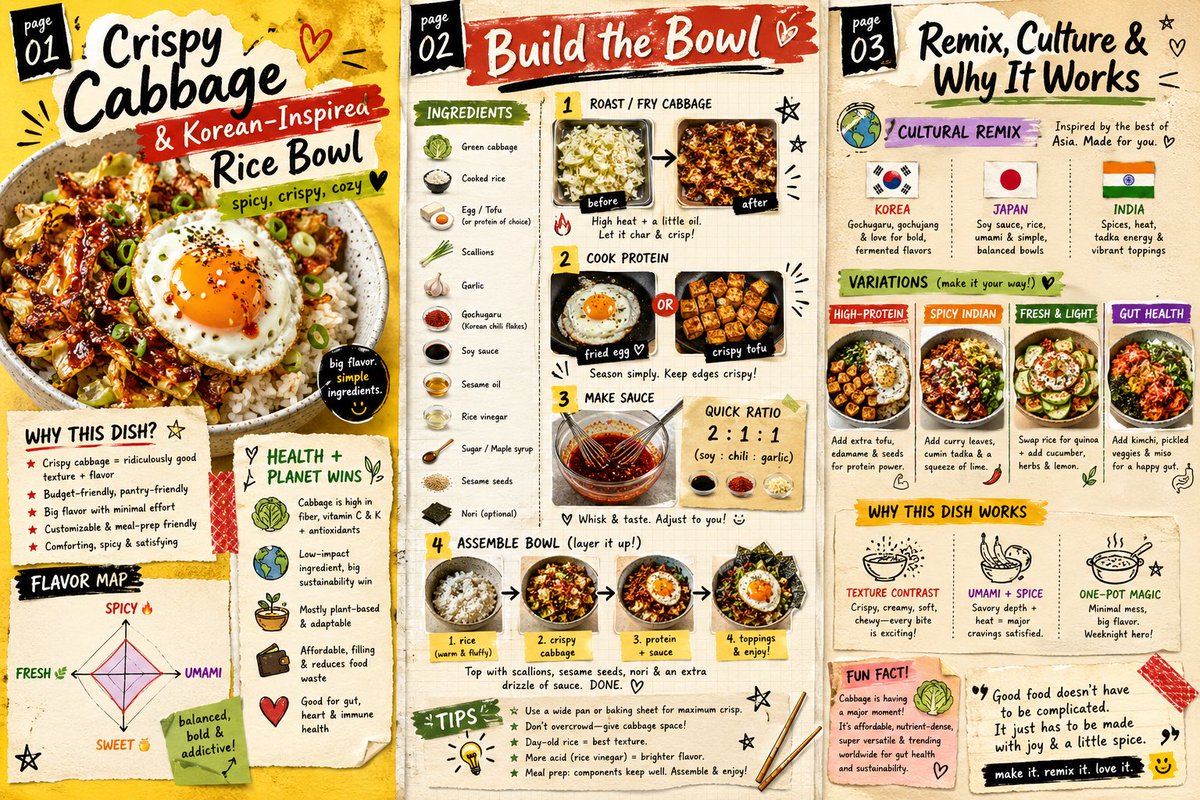
Nano Banana 2 preview 1
Nano Banana 2
Nano Banana 2 is strongest when you need faster iteration than a high-end studio model, but still care about readable text, better subject grounding, broader layout coverage, and more advanced control than the base Nano Banana tier.
Google defines Nano Banana 2 as the model that brings Nano Banana Pro-style quality and reasoning to Flash speed. That matters when you want faster iteration without falling back to a basic image tier.
Google says Nano Banana 2 can draw on Gemini's world knowledge together with real-time information and images from web search. That makes it more useful for subject-specific visuals, diagrams, infographics, and other fact-heavy image tasks.
Official materials highlight more reliable text rendering together with in-image translation and localization. This is the part that makes Nano Banana 2 more credible for mockups, cards, localized ads, and multilingual graphics.
Google showcases Nano Banana 2 on scenes with multiple recurring characters and objects, emphasizing stronger consistency and better adherence to multi-constraint prompts. That makes it more practical for sequential frames and denser scene setups.
Google also highlights native aspect ratios and output tiers from 512px to 4K. The model is designed to cover fast draft formats as well as larger delivery-oriented image assets without switching to a different family.
Creator walkthroughs that are useful for understanding Nano Banana as a fast image workflow with practical consistency and editing controls.
A useful family-level walkthrough for understanding Google’s recent image workflow direction around fast generation, edits, and multi-image control.
Helpful for understanding where Google’s current image stack sits on speed, editability, and production-minded image generation.
Useful as broader context for judging the newest fast image-model tier that Nano Banana 2 now competes in around cost, speed, and prompt responsiveness.
Public rollout notes and creator examples that are useful for judging Nano Banana around consistency, multi-image control, and practical app-building use cases.
Nano Banana 2 is strongest when you need faster iteration than a high-end studio model, but still care about readable text, better subject grounding, broader layout coverage, and more advanced control than the base Nano Banana tier.
Use Nano Banana 2 when the image needs to explain something, not just look good. The model's world knowledge and stronger instruction following make it a better fit for diagram-like visuals and information-dense creative.
Nano Banana 2 is a practical choice for ads, cards, signage, and campaign mockups that need in-image text, translation, or language-specific adaptation instead of generic copy blocks.
Use it for image runs where the same people, mascots, or recurring objects need to stay recognizable across multiple frames, compositions, or storytelling variations.
When one image family needs to cover standard frames plus wider or taller marketing layouts, Nano Banana 2 gives you more room than the smaller Nano Banana tier without leaving the same model family.

Google: Nano Banana AI Image Generator for Concept Drafts & Fast Iteration
Google: Nano Banana Pro AI Image Generator for Infographics, Posters & Mockups

OpenAI
GPT Image 1.5 AI Image Generator
OpenAI
Free GPT Image 2 AI Image Generator

Ideogram
Ideogram V3 AI Image Generator for Brand Graphics & Text-Heavy Posters

ByteDance
Free Seedream 5.0 Lite AI Image Generator
Start creating — every run shows its credit cost before you generate. Upgrade later for higher usage and Pro settings like 4K.
Preview
Ready to create images
Generate in this workspace and the latest result will appear here with the supporting content below.
Recent
View more